
By Ryan Bryant September 18, 2026
A beverage cart payment system golf course operators can rely on needs far more than a portable card reader.
The handheld has to survive a full F&B shift, remain usable in bright sun and changing weather, cope with weak connectivity, accept cards and mobile wallets securely, post approved purchases to member accounts, track gratuities, keep cart stock reasonably accurate, and leave the controller with numbers that can actually be reconciled at the end of the day.
That is what makes on-course payments different from transactions at the clubhouse bar. The terminal itself is moving. Signal strength changes as the cart travels behind trees, into low spots, around maintenance buildings, or to the far side of the property.
A cart attendant may have only four sandwiches, six sports drinks, and a case of beer left even though the central storeroom is fully stocked.
A reliable setup therefore combines durable mobile hardware, deliberately tested LTE or Wi-Fi coverage, a defined policy for any offline transactions, centralized menu and account data, cart-level inventory discipline, and a repeatable shift-close process.
That workflow, rather than the brand of terminal alone, determines whether mobile golf course F&B runs smoothly.
Beverage Cart Payment System Golf Course: What the Hardware Must Handle
The normal restaurant question is often, “Can this terminal take a chip card and Apple Pay?”
On a golf course, that is only the beginning.
A beverage cart payment system golf course staff carry for five or six hours may bounce in a cart, sit beside melting ice, spend long periods in direct sun, move repeatedly between strong and weak wireless coverage, and get handled while the attendant is also opening coolers, making change, and serving golfers.
The device therefore needs to be evaluated as field equipment.
At minimum, verify whether the intended configuration supports EMV chip transactions, NFC contactless cards and compatible mobile wallets, the network connection the club intends to use, employee identification, tipping, receipts, and the POS functions needed for the cart menu.
Handheld specifications vary substantially, so clubs should verify the exact device rather than assuming every portable terminal has the same connectivity.
For example, the current Clover Flex 4 specifications list EMV chip and contactless acceptance together with 4G/LTE, Wi-Fi, Bluetooth, an integrated receipt printer, and cradle charging. A different handheld may rely primarily on Wi-Fi or a paired mobile device instead.
Hardware requirements for on-course service
| Requirement | Why It Matters | What to Verify |
| EMV chip | Supports modern card-present acceptance | Supported card types and payment application |
| NFC/contactless | Speeds wallet and tap transactions | Apple Pay, Google Pay, contactless cards and other supported wallets |
| Wi-Fi and/or cellular | Determines where the device can communicate | Built-in radios, carrier requirements, SIM arrangement and failover behavior |
| Battery strategy | Cart may be away from charging for hours | Manufacturer runtime language, charging accessories and actual shift testing |
| Bright usable display | Staff work in direct sunlight | Screen visibility under real course conditions |
| Environmental tolerance | Rain, dust, vibration and spills occur | Published ratings and recommended operating environment |
| Protection | Devices are dropped and misplaced | Case, mount, lanyard or holster options |
| Staff login | Needed for accountability | Employee PIN, badge, user login or device assignment |
| Tipping | Needed for gratuity reporting | Prompt configuration and employee attribution |
| Inventory access | Prevents cart from selling imaginary stock | Location-level inventory or practical 86 controls |
A club does not need the most rugged terminal on the market merely because it owns a beverage cart. But it should know the limits of whatever it deploys.
Handheld POS for Golf Courses: Battery, Drops, Sun, and Rain
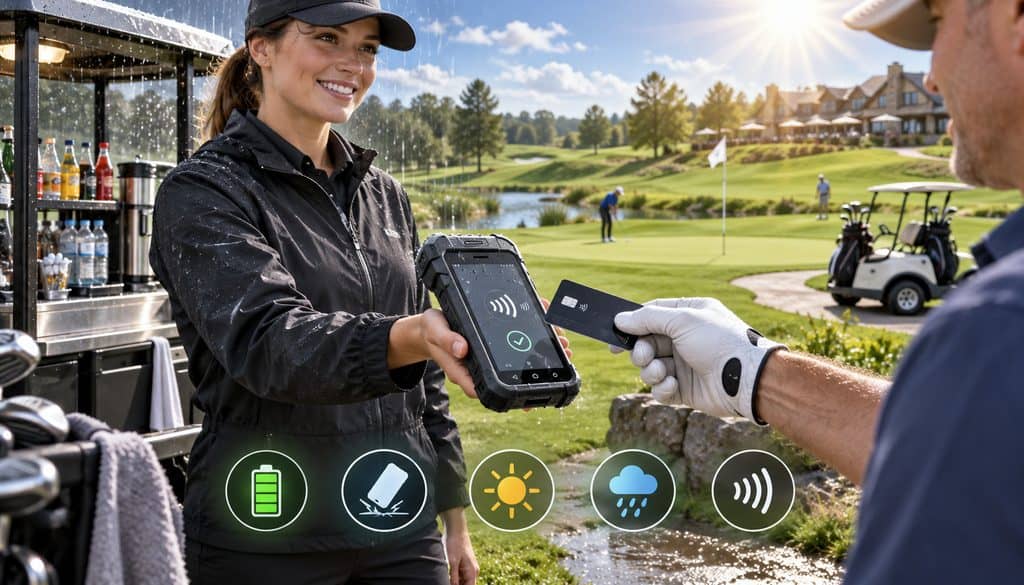
Selecting a handheld POS golf course staff can use confidently starts with a full-shift test rather than a feature sheet.
Battery performance is particularly easy to misunderstand. Runtime changes with screen brightness, wireless activity, transaction volume, background software, scanning, accessories, and environmental conditions. If a manufacturer says a battery is designed for a shift, that still does not tell you how your configuration will behave during a packed tournament day.
Start each shift with the handheld charged and record how much charge remains after a realistic route. Use the manufacturer’s approved dock, charger, cradle, power bank arrangement, or replacement-battery system where supported. If the operation cannot tolerate one terminal dying mid-round, have a backup plan rather than assuming the marketing runtime will match every service day.
Drop, vibration, sun, and rain exposure
A cart terminal does not live the same life as an iPad mounted beside a restaurant register.
Cart vibration is constant. Sudden rain is common. An attendant may set a device on a counter ledge while reaching into a cooler. Sand, dust, fingerprints, sunscreen, condensation, and spilled beverages are realistic exposures.
Published environmental specifications matter when a manufacturer provides them. For example, Square currently publishes an IP54 rating for its Handheld, meaning the manufacturer describes it as protected against dust ingress to the specified rating and water splashes—not as waterproof or appropriate for unlimited exposure.
Do not turn an IP rating into a stronger claim than the manufacturer makes. A splash-resistant handheld should still be brought under cover rather than left in a downpour.
Sun also affects the workflow. Even a technically bright display may require staff to turn slightly or shade the screen when reviewing an order, entering a member number, or confirming the total.
Cases, mounts, lanyards, and holsters
A simple protective setup can prevent expensive damage.
A case can absorb routine knocks. A secure cart mount gives the terminal a known location while the vehicle is moving. A holster or lanyard can keep the device attached to the attendant while walking between foursomes.
The objective is not to burden the employee with accessories. It is to eliminate the pattern where a handheld rides loose on a passenger seat beside receipts, keys, towels, water bottles, and loose change.
Dedicated handheld versus phone plus reader
Both architectures can work.
A dedicated handheld combines the POS application and payment hardware into one managed device. That can simplify training, charging, employee assignment, and checkout because there is no separate reader to pair or misplace.
A smartphone or tablet plus a separate mobile card reader can be more flexible, especially when the club already manages compatible devices. The tradeoffs include maintaining two batteries, preserving Bluetooth or another reader connection where applicable, securing a general-purpose device, and dealing with pairing problems.
Using a phone or tablet for payment acceptance does not remove the need for a properly designed payment architecture. The PCI Security Standards Council’s Mobile Payments on COTS standard addresses security requirements for solutions that accept payment credentials through commercial smartphones, tablets, and related mobile configurations.
Clubs should use supported payment applications and devices rather than treating an ordinary consumer device as a place to manually capture card information.
There is no universal winner. The right architecture is the one the club can secure, support, charge, manage, and reconcile consistently.
On Course F&B Sales: Where Mobile Payments Actually Happen

On course F&B sales extend beyond a single roaming beverage cart.
Depending on the property, transactions may occur at a turn window, halfway house, permanent snack building, roaming cart, tournament station, pool service point, or another hospitality area attached to golf operations.
The key difference is that these locations do not all need the same network connection.
The turn window might sit twenty feet from a network switch and operate reliably over wired Ethernet or a well-designed Wi-Fi network. The cart could spend the next two hours outside Wi-Fi range and depend on cellular service.
Both can still feed the same POS reporting, member accounts, menu definitions, discounts, and inventory structure when the platform supports the necessary integrations.
That is preferable to treating each service point as an independent cash register.
When tee-time, POS, and member-payment activity feeds a connected system, beverage-cart transactions can still use the same member and reporting data without exposing every clubhouse function on the handheld. The cart interface should remain focused on fast F&B ordering, tender selection, member verification, and shift accountability.
LTE, Wi-Fi Mesh, and Offline Payments Across the Course
Connectivity is where otherwise excellent mobile-payment projects fail.
A clubhouse can have business-grade fiber and beautiful indoor Wi-Fi while the 14th fairway has almost no usable data signal. Trees absorb and obstruct radio energy. Terrain changes coverage. Buildings, hills, maintenance structures, distance, antenna placement, and local carrier conditions all matter.
Do not design course coverage from a desktop map.
Drive the route.
LTE as the mobile path
Cellular service is attractive for a moving beverage cart because the terminal does not have to remain associated with the club’s Wi-Fi access points.
That does not mean LTE works everywhere.
Carrier A may be excellent near the clubhouse but weak behind the seventh green. Carrier B may perform differently. Tournament attendance can also change network conditions when hundreds of phones occupy the property.
If the planned handheld POS golf course deployment relies on LTE, test the actual carrier and actual device around the full route. A phone showing several bars is useful information, but it is not a substitute for testing transactions or application connectivity on the equipment being deployed.
Wi-Fi mesh and outdoor access points
Managed outdoor Wi-Fi can be valuable around fixed high-volume areas such as the clubhouse patio, first tee, turn, pool, event lawn, and halfway house.
Extending dependable Wi-Fi over an entire course is a networking project. Outdoor access-point placement, power, backhaul, interference, terrain, roaming behavior, weather-rated hardware, and security all matter.
Installing a few consumer repeaters and hoping that SSID coverage reaches hole 14 is not a network design.
For some facilities, the best model is mixed: strong managed Wi-Fi around buildings and high-traffic nodes, cellular service for carts in motion, and a tightly controlled offline process for unavoidable dead spots.
Build a connectivity test map
Document what actually happens.
| Area/Hole | LTE Carrier A | LTE Carrier B | Wi-Fi | Offline Needed? |
| Clubhouse | Test | Test | Test | Determine |
| Turn | Test | Test | Test | Determine |
| Hole 7 | Test | Test | Test | Determine |
| Hole 14 | Test | Test | Test | Determine |
| Hole 18 | Test | Test | Test | Determine |
Record more than “works” or “doesn’t work.” Note slow login behavior, payment timeouts, reconnect delay, and whether the device unexpectedly switches between networks.
Offline Payments Golf Course Connectivity: What Happens in a Dead Zone?
The phrase offline payments golf course connectivity can create a dangerous misconception: that “offline” is simply normal card processing without the internet.
It is not.
Some payment platforms can retain eligible transactions securely on supported devices while the network is unavailable and submit them after connectivity returns. Support depends on the device, software, payment method, account configuration, and processor.
Other configurations cannot do this at all.
Most importantly, an offline queue may capture a golfer’s payment credentials without obtaining live issuer authorization. The golfer receives the drinks and food, the cart moves on, and the transaction is submitted later.
If the issuer declines it after reconnection, the merchandise is already gone.
Offline acceptance should be treated as unresolved payment exposure until the transaction has been submitted successfully.
For example, Square’s current offline-payment documentation explains that supported payments can remain pending while connectivity is unavailable and may later appear as completed or declined after the device reconnects. It also states that the seller remains responsible for expired, declined, or disputed offline payments.
That is why the offline policy must come from the platform and processor actually being used.
Offline is not the same as preauthorization
These concepts should never be treated as interchangeable.
A genuine authorization involves communication with the appropriate payment system and an approval or decline response under that transaction flow.
A locally queued payment may have no live issuer decision yet.
That makes the core risk sequence:
payment accepted while offline → golfer receives goods → transaction remains pending → device reconnects → transaction submitted → issuer may decline → club may lose the sale.
Do not invent an offline floor limit
A club should not borrow a dollar threshold from another business, a vendor demonstration, or an old terminal configuration.
Ask the processor or platform:
- whether offline acceptance is supported;
- which devices and tenders qualify;
- whether an amount or transaction-count control is available;
- what time or reconnection requirements apply;
- what happens to transactions that fail after upload;
- what functions are unavailable while offline; and
- how pending transactions appear in reporting.
A $12 snack purchase may look low-risk individually, but repeated transactions during a long outage create cumulative exposure.
Offline risk controls
| Scenario | What Happens | Merchant Risk | Recommended Control |
| Brief dead zone | Transaction may queue if supported | Later decline possible | Follow approved offline policy and verify after reconnect |
| Unsupported tender | System may refuse offline payment | Lost sale or customer delay | Train staff on approved alternative tender |
| Prolonged outage | Pending exposure accumulates | Multiple later declines | Escalate and consider stopping offline card acceptance |
| High-ticket event sale | Larger value accepted without live approval | Higher financial exposure | Follow processor-approved policy or use live alternative |
| Device problem while transactions are pending | Pending data may not synchronize correctly | Uncaptured payment risk | Protect device and follow vendor recovery procedure |
| Reconnection | Queue uploads | Some payments may approve or decline | Review status before final close |
The Hole 14 scenario
Assume the cart reaches a known low-signal section near hole 14.
The handheld loses LTE and clearly indicates that it is offline. The attendant does not repeatedly swipe cards or write card numbers on a napkin. Instead, the attendant follows the club’s approved procedure.
If the platform, device, tender, and merchant configuration support offline acceptance, the eligible transaction may be queued according to that policy. If not, the attendant uses an authorized alternative—perhaps cash or, for an eligible member, a house-account transaction if that function remains accessible and the member can be verified.
When the cart reaches the next known coverage zone, the employee confirms connectivity has returned.
The shift does not treat the offline card sale as final merely because the interface stops showing an offline icon. The employee or supervisor checks that the queue uploaded and later verifies whether each transaction completed, declined, or remains unresolved.
That discipline is what makes offline payments golf course connectivity manageable.
How to Charge Purchases to a Member Account on the Course

Private clubs introduce another payment path that public-course retail does not always have: the member house account.
A request to charge to member account on course should create a receivable entry, not masquerade as a card transaction.
The preferred workflow is:
member identifies account → employee verifies member or authorized household user → order is attached to that account → member charge is posted to the ledger → receipt or confirmation is generated → purchase appears in statement activity.
An on-course purchase should post into the same member billing structure used to consolidate club charges and account activity. The handheld acts as another transaction-entry point, while the member ledger remains the record used for receivables and statement activity.
Member lookup and verification
Useful identification methods can include:
- member number;
- physical membership card;
- digital membership credential;
- barcode or QR credential;
- secure name search followed by secondary verification; or
- tee-sheet context used as supporting information.
The employee should never guess which John Smith is standing beside the cart.
A streamlined process matters because the golfer does not want a two-minute identity interrogation over a sandwich. The verification step should nevertheless be strong enough to prevent staff from posting charges to a similarly named member or an account the golfer is not authorized to use.
Household and dependent charging
Spouses, partners, dependents, juniors, and other household users may have different privileges depending on club policy.
The POS should follow the account permissions established by the membership or club-management system. The cart employee should not decide whether someone “probably” belongs on the account.
That makes a charge to member account on course a permissions problem as much as a checkout feature.
Guest purchases
A guest can simply pay by card, mobile wallet, or cash if accepted.
If the sponsoring member wants the guest’s purchase placed on the member house account, preserve a clear connection to the sponsor. The exact authorization procedure is a club-policy decision, but the transaction record should make it understandable later when the member reviews a statement.
Member charge versus card or wallet
These tenders take different financial paths.
| Tender | Settlement Path | Receipt | Reconciliation Destination |
| Card | Processor/acquirer settlement | Digital, printed or other supported method | Card sales and processor reporting |
| Mobile wallet | Underlying card/payment network path | Digital or supported receipt | Card/payment settlement reporting |
| Member house account | Club receivables ledger | Member confirmation/statement entry | Member A/R |
| Cash | Physical cash control | POS or supported receipt | Cash drawer/drop |
| Offline card transaction | Pending until submitted and resolved | Depends on platform/status | Offline exception report, then card settlement if approved |
A member charge therefore does not belong in the expected processor deposit.
That distinction becomes critical at shift close.
Tips on Beverage Cart Sales: Prompts, Tracking, and Distribution
Tipping is particularly visible on a beverage cart because checkout takes place face-to-face and often with a line of golfers waiting.
The tip experience should be clear without being uncomfortable.
A typical modern flow shows the order total and then, where configured, presents transparent gratuity choices such as preset percentages, a custom amount, and a no-tip option. Employees should not pressure a golfer, conceal the no-tip option, or manipulate the selection.
How a particular POS presents tipping should be tested before deployment.
Tips on beverage cart sales need their own records
Tips on beverage cart sales should not disappear into the general sales number.
At minimum, management needs to distinguish:
- card tips;
- cash tips reported or handled under club policy;
- employee-assigned tips;
- pooled tips where the club uses a lawful pooling arrangement; and
- any adjustments before payroll or distribution.
The exact legal treatment of tips, tip pools, service charges, payroll reporting, and eligible participants varies by jurisdiction and circumstance. Clubs should follow applicable labor and payroll requirements rather than copying another property’s tip-distribution formula.
Immediate tip capture versus later adjustment
Some payment workflows collect the tip during checkout. Other hospitality systems may support a later tip-adjustment process.
Do not assume the two approaches are available interchangeably.
If the club wants a specific workflow, ask the POS and processor exactly when the cardholder makes the gratuity decision, how long authorized adjustments are supported, who can edit them, and how the final amount appears in transaction reporting.
For mobile cart service, immediate guest-facing entry often makes operational sense because the golfer and attendant are both present. But the correct configuration depends on the system.
Employee-owned or pooled?
Management should deliberately decide how tips on beverage cart sales are accounted for within applicable law and club policy.
Questions include:
- Does the cart attendant retain individually attributed tips?
- Are cart staff pooled during the shift?
- Does the turn-window team participate in an approved pool?
- How are tournament staff handled?
- How are cash tips reported?
- How do adjustments flow to payroll?
The POS should support the club’s approved process rather than forcing supervisors to reconstruct gratuities from handwritten notes.
Tip reconciliation table
| Staff/Shift | Card Tips | Cash Tips Reported | Tip Pool Adjustment | Final Tip Amount |
| Cart 1 / AM | ||||
| Cart 2 / AM | ||||
| Turn / AM | ||||
| Cart 1 / PM |
Employee-specific logins help considerably. A generic “BEVCART” account shared by six workers makes it much harder to investigate a disputed transaction or explain why a tip total belongs to one shift rather than another.
Inventory Sync for Beverage Carts and the Turn Window
A beverage cart can sell only what is physically riding on the cart.
That sounds obvious, yet many mobile POS deployments show staff the club’s entire central inventory.
If the kitchen has twenty turkey sandwiches but the cart has two, the cart menu should ideally reflect two—not twenty—when the system supports location-level inventory.
This is where on course F&B sales need operational design rather than merely payment acceptance.
Treat the cart as an inventory location
A useful structure may include separate inventory locations for:
- central F&B stockroom;
- clubhouse restaurant;
- turn or halfway house;
- beverage cart 1;
- beverage cart 2; and
- temporary tournament station.
That does not require every club to implement perpetual inventory down to every packet of crackers. It means the POS should reflect physical custody closely enough to make the numbers useful.
A POS that combines sales reporting with inventory tracking across club operations can reduce manual stock adjustments, but each beverage cart still needs its own starting count, recorded restocks, sales depletion, and ending physical count.
The cart load-out workflow
- Count starting stock before departure.
- Transfer that quantity to the cart’s inventory location where the system supports location tracking.
- Let completed sales decrement the cart’s available quantity.
- Record mid-shift restocks as transfers into the cart.
- Record approved spoilage, damage, comps, or waste separately rather than hiding them as inventory adjustments.
- Count physical ending stock.
- Compare expected quantity with the physical count.
- Investigate meaningful variances before they become routine.
A restock should not look like a purchase.
If the clubhouse hands cart 2 twelve more waters at noon, inventory moved from one location to another. Treating that event as a new purchase or arbitrary count adjustment breaks cost and variance reporting.
Inventory-flow example
| Stage | Starting Qty | Transfers | Sales | Expected Ending |
| Bottled water | 36 | +12 | 31 | 17 |
| Sports drink | 18 | 0 | 11 | 7 |
| Turkey sandwich | 8 | +4 | 9 | 3 |
| Snack bar | 20 | 0 | 13 | 7 |
| Canned beverage | 24 | +12 | 25 | 11 |
The basic control is:
Starting cart inventory + transfers in − sales − documented spoilage/waste = expected ending inventory.
Then compare expected ending inventory with the physical count.
Preventing overselling
If location-level depletion is supported, configure it.
If it is not, create a fast manual 86 process. The attendant should be able to mark turkey sandwiches unavailable without calling the clubhouse and without continuing to ring up an item that is no longer on the cart.
Keeping Menu and Pricing Consistent Across the Club
The safest operating model is one controlled item-and-price source feeding the clubhouse, turn window, and beverage cart where the software supports it.
That does not mean every service point must display the same menu.
The cart might sell twelve fast-moving items while the clubhouse restaurant has seventy. The important point is that a shared item should not acquire accidental price, tax, or discount differences because someone manually created a second version on a handheld.
Same item, intentionally different price
A club may decide that a product has different on-course pricing.
That is an operational and pricing decision.
If so, configure it deliberately. Use a defined cart price, service-area price, or menu rule supported by the POS rather than letting staff manually change the amount transaction by transaction.
The objective is to distinguish intentional pricing from synchronization failure.
Taxes belong to the item and jurisdiction
Tax treatment can vary by jurisdiction, item, service model, and other facts.
The important POS principle is consistency: the mobile channel should not silently apply a different tax rule simply because the transaction occurs beside the 14th tee.
Any tax configuration should be established with appropriate accounting or tax guidance for the club’s jurisdiction and then applied consistently across the relevant sales channels.
Member discounts, tournament packages, promotions, and comps
This is another common source of mismatch.
If members receive a configured F&B discount, determine whether that discount should apply on the cart and at the turn. If a tournament package includes two drink vouchers, build the redemption process rather than asking attendants to remember which foursome has already used them.
Happy-hour pricing, comps, member discounts, and tournament entitlements should all have clear rules.
Keep modifiers short
The fastest cart menu is usually the simplest cart menu.
Complex restaurant modifiers make sense when an order is heading to a kitchen. They are less helpful when the attendant is handing a packaged sandwich and drink directly to a golfer.
Streamline on course F&B sales around fast identification, clear pricing, and rapid tender selection.
Turn Window Payments: Same Reporting, Different Network
The halfway house or turn window occupies an interesting middle ground.
It serves golfers on the course, but it is usually fixed.
That gives the club networking options a beverage cart may not have. A permanent turn building may use wired Ethernet, managed Wi-Fi, cellular backup, or another site-specific network design.
There is no reason, however, for its reporting logic to be completely separate.
Cart and turn sales should ideally share:
- item definitions;
- pricing rules;
- member lookup logic;
- discounts;
- tax configuration;
- tip reporting rules where applicable;
- employee permissions; and
- central management reporting.
The transport can differ while the business logic remains consistent.
A cart can communicate over LTE while the turn uses Ethernet. What matters is that both ultimately post transactions into reporting that management can reconcile.
End-of-Shift Reconciliation for Cart Sales, Tips, Cash, and Member Charges
This is where the beverage cart payment system golf course deployment either proves itself or creates tomorrow morning’s accounting problem.
Do not ask whether “the cart balanced.”
Ask whether each financial component balanced to the correct destination.
Card sales, cash, member house-account charges, gratuities, offline transactions, refunds, voids, and physical inventory are different categories. They may be recorded on one POS report, but they are not interchangeable.
Shift-close workflow
- Stop new sales on the assigned device.
- Move to reliable connectivity.
- Force or confirm transaction synchronization according to the platform.
- Review the offline queue or pending-payment report.
- Confirm that eligible queued transactions have uploaded.
- Identify any declined or unresolved offline items.
- Close the employee or device shift according to the POS workflow.
- Count physical cash.
- Separate cash tips according to club policy.
- Review card gratuities.
- Review member-account charges.
- Review card and wallet sales.
- Review refunds, voids, discounts, and comps.
- Calculate expected cash.
- Prepare and record the cash drop.
- Compare physical inventory with expected ending cart stock.
- Document variances.
- Return, inspect, synchronize, clean, and charge the handheld.
Do not skip the synchronization step merely because the employee is tired and the clubhouse is closing.
Reconciliation worksheet
| Category | POS Total | Physical/Settlement Total | Variance |
| Card/wallet sales | Processor/payment report | ||
| Member-account charges | Member A/R posting | ||
| Cash sales | Cash counted | ||
| Card tips | Tip/payroll report | ||
| Cash tips | Reported/handled per policy | ||
| Refunds/voids | Approval/transaction report | ||
| Offline transactions | Approved/declined/unresolved report | ||
| Ending inventory | Expected | Physical count |
Card sales do not have to equal today’s bank deposit
Card and mobile-wallet payments typically become part of processor settlement, but the timing of the bank deposit does not necessarily match the employee’s shift close.
Settlement cutoffs, weekends, holidays, processing arrangements, refunds, fees, adjustments, and other account-level factors can affect deposit timing and composition.
Reconciliation therefore follows a chain:
POS card transactions → processor transaction/batch reporting → settlement activity → bank deposit.
Do not force the cash-management worksheet to equal a bank deposit that may not have occurred yet.
Bringing multiple payment channels into integrated golf-course payment reporting can reduce duplicate entry and fragmented reports. Staff still need to distinguish card settlement, member receivables, physical cash, gratuities, and inventory because those categories reconcile to different destinations.
Member charges do not hit the processor deposit
This mistake causes needless reconciliation investigations.
If a member buys $36 of F&B and instructs the attendant to put it on the house account, no $36 card transaction necessarily occurred.
The club has created $36 of member receivables.
That amount belongs on the member ledger and ultimately on statement billing. It should not be expected in the card processor’s deposit.
The charge to member account on course workflow therefore needs its own report.
Cash drop control
Expected cash begins with POS-recorded cash sales and then incorporates legitimate cash movements defined by the club’s controls.
The physical cash is counted separately.
Cash gratuities should be handled according to established club and payroll policy rather than casually mixed into the sales drawer until someone sorts them out tomorrow.
A basic close should produce:
expected sales cash → actual sales cash → variance → documented cash drop.
Offline transaction reconciliation
Pending offline transactions deserve their own exception view.
Ideally the closing supervisor should be able to identify each item as:
- uploaded and completed;
- uploaded and declined;
- still pending;
- expired or otherwise failed under platform rules; or
- requiring investigation.
A beverage cart payment system golf course workflow should not bury yesterday’s pending payments inside today’s report.
Refund and void controls
Mobile staff need enough authority to fix legitimate mistakes without giving every employee unlimited adjustment access.
Permission design can distinguish ordinary checkout from voids, refunds, comps, discount overrides, and other sensitive actions. A manager approval workflow may be appropriate for certain changes depending on club policy.
Do not choose a dollar threshold merely because another club uses one.
Employee and device assignment
Assigning each handheld to a user or shift gives the controller a better audit trail.
A useful record answers:
- Who used the device?
- Which cart was it assigned to?
- What time did the shift begin and end?
- Which sales, refunds, tips, and offline exceptions occurred?
- Who completed closeout?
Generic shared logins make those questions harder.
Lost or damaged devices
If a device goes missing, follow the platform’s management and security procedure promptly.
That may include disabling application access, locking or wiping a managed device where supported, removing credentials, notifying IT, and involving the processor or vendor when required.
Avoid assumptions about what card data is or is not exposed. That depends on the payment architecture.
The safer operating practice is to use approved devices and applications, keep them patched and managed, inspect them for tampering, and never store raw payment-card numbers in notes, spreadsheets, text messages, or handwritten “backup” lists.
Tournament Days, Weather, and Shift Handoffs
Normal Saturday service does not tell you how the mobile setup will perform during a 144-player charity outing.
Tournament days often mean:
- additional beverage carts;
- temporary service stations;
- more handhelds;
- different employee assignments;
- additional menu items;
- higher transaction density;
- guest-heavy payment traffic; and
- potentially heavier cellular demand.
Pre-stage equipment before the first group tees off.
Charge the devices. Apply software updates earlier rather than minutes before service. Confirm employee credentials. Load the tournament menu. Test payments and member or sponsor rules. Verify that temporary inventory locations are correct.
Tournament days often introduce additional payment channels, mobile terminals, and event-specific transaction reporting. Temporary beverage stations and extra carts should therefore be assigned their own devices, employees, inventory locations, and closeout responsibilities before play begins.
Weather also affects equipment handling.
A published splash-resistance rating should not be interpreted as permission to leave a device exposed during sustained rain. When cart operations stop or staff move to shelter under the facility’s normal weather procedures, terminals should be protected as well.
Charging dock and shift handoff
At the end of service:
return → inspect → clean → synchronize → charge → assign for next shift.
Look for cracked screens, damaged charging connectors, swollen cases, missing accessories, moisture exposure, and obvious tampering.
The morning attendant should not discover at 9:45 that the afternoon shift returned the handheld with 8% battery and an uncleared offline queue.
PCI and Mobile Payment Security on the Course
Mobile checkout does not remove PCI responsibilities.
Use an approved payment architecture provided by the relevant processor, acquirer, payment provider, or POS vendor. Keep software supported and current. Restrict user access. Inspect devices for unusual attachments or tampering. Protect administrative credentials.
Most importantly, never create an informal fallback in which employees manually write down card numbers because cellular service disappeared.
The card number should not end up in a beverage-cart notebook, spreadsheet, camera roll, personal phone, text message, or staff group chat.
If electronic card acceptance is unavailable and the approved platform does not support an appropriate offline workflow, move to another authorized tender.
That could mean cash, a valid member-account transaction when the member is eligible and verifiable, or another club-approved alternative.
Receipt Options for a Moving Beverage Cart
A built-in printer can be useful in certain environments, but paper receipt printing is not always practical on a moving cart.
Wind, paper storage, rain, and replenishing receipt rolls add operational friction.
Depending on the payment system and applicable requirements, supported options may include:
- printed receipt;
- email receipt;
- SMS receipt;
- on-screen confirmation; or
- account-based confirmation for member charges.
Verify what the chosen platform supports and what receipt or transaction-record requirements apply to the club’s jurisdiction and payment arrangement.
Do not assume “paperless” means “no receipt record.”
Customer Support When Payment Fails on the Course
The attendant needs a short decision tree.
If the payment fails:
- Read the actual error rather than repeatedly retrying blindly.
- Check whether the device has connectivity.
- Retry only when appropriate.
- Ask for another supported tender if necessary.
- For an eligible member, use the house-account option only after proper verification.
- Follow the approved offline procedure if the system supports it.
- Escalate unresolved device or payment issues.
Never turn a failed card into a handwritten card-number transaction.
A golfer would rather use another payment method than learn later that a cart employee photographed their card because “the terminal wasn’t working.”
Common On-Course Mobile POS Mistakes
Many failures happen not because the underlying technology is weak but because it was deployed with clubhouse assumptions.
| Mistake | Risk | Better Approach |
| Choosing hardware only for price | Poor field reliability | Test battery, screen, environmental tolerance and route workflow |
| Relying on clubhouse Wi-Fi everywhere | Transactions fail away from buildings | Map real Wi-Fi and cellular coverage |
| Assuming LTE covers the whole property | Dead-zone surprises | Test device and carrier on the full route |
| Treating offline sales as guaranteed | Later declines become losses | Apply processor-approved offline controls |
| No member verification | Wrong-account charges | Use member credentials and secondary safeguards |
| Mixing tips with sales | Payroll and closeout confusion | Track gratuities separately |
| Showing central inventory as cart stock | Overselling and poor counts | Use cart inventory locations or a fast 86 process |
| Expecting member charges in processor deposits | False reconciliation variance | Post member charges to A/R |
| Manually recreating menus | Price/tax inconsistencies | Centrally control menu definitions |
| Shared generic login | Weak employee accountability | Assign users/devices per shift |
| Closing before offline queue is reviewed | Unresolved transactions carry forward | Sync and review pending items first |
Questions to Ask a POS or Processor Vendor
Before choosing a beverage cart payment system golf course management should ask questions based on real field conditions, not just countertop demonstrations.
- Does the handheld have integrated LTE, or does it depend on Wi-Fi or a paired phone?
- Can it switch between Wi-Fi and cellular when both are supported?
- Which hardware and software combinations support offline transactions?
- Who bears the risk if an offline transaction later declines?
- Can offline acceptance be restricted under platform-supported controls?
- Can staff charge purchases to member house accounts?
- How is member identity verified?
- Can household permissions be enforced?
- Can tips be attributed by employee, device, cart, or shift?
- Can cart inventory be separated from clubhouse inventory?
- Can inventory transfers be recorded between the stockroom and cart?
- Are menus, prices, tax settings, and promotions managed centrally?
- What happens to each queued payment when connectivity returns?
- Can supervisors see device or transaction status remotely?
- Can a lost device be disabled or managed remotely?
- Does the unit support EMV and contactless mobile wallets?
- What receipts can be issued from the cart?
- How do refunds and voids work after an offline transaction?
- Which employee permissions can be restricted?
- How does the shift-close report distinguish cards, cash, tips, member charges, and pending payments?
A demonstration should include these scenarios.
Do not settle for a perfect Wi-Fi demonstration inside a vendor’s office.
Practical On-Course Payment Workflow
The following operating workflow connects equipment, connectivity, inventory, payments, and reconciliation into one repeatable process.
- Assign the handheld to the cart attendant and shift.
- Confirm the device is physically undamaged.
- Confirm the battery is charged for the expected route.
- Confirm LTE and/or Wi-Fi connectivity.
- Verify that the correct location and employee are logged in.
- Load or synchronize the current cart menu and pricing.
- Confirm tax and discount rules are current.
- Count the starting cart inventory.
- Record the cart load-out or inventory transfer.
- Confirm member-account lookup is available where required.
- Confirm the known dead-zone and offline policy.
- Begin the cart route.
- Enter the golfer’s order.
- Confirm items and quantities before tender.
- Select payment type.
- For card or wallet, present the approved payment interface.
- Accept chip, tap, or another supported card-present method.
- For a member charge, locate and verify the correct member account.
- Confirm household or guest authorization when relevant.
- Present the tip prompt where tipping is enabled.
- Allow the golfer to make the gratuity choice without pressure.
- Complete the transaction or record the appropriate pending status.
- Issue the supported receipt or confirmation.
- Confirm sold inventory has decremented where the system supports it.
- Monitor connection status during the route.
- At a dead zone, follow the approved offline policy rather than improvising.
- Do not write down card numbers.
- After reconnecting, verify queued transactions were uploaded.
- Identify any declined or unresolved transactions.
- Record mid-route inventory restocks as transfers.
- Mark genuinely unavailable items sold out or 86’d.
- Process only authorized refunds, voids, comps, or adjustments.
- Return the cart at shift end.
- Move the handheld onto known-good connectivity.
- Force or verify the final synchronization.
- Review the offline queue and payment exceptions.
- Close the employee/device shift.
- Count physical sales cash.
- Separate or record cash tips according to policy.
- Reconcile card tips.
- Reconcile member-account charges to member A/R.
- Reconcile card and wallet transactions to processor reporting.
- Review refunds and voids.
- Count ending cart inventory.
- Compare physical inventory with expected inventory.
- Record spoilage or other approved variance reasons.
- Prepare and document the cash drop.
- Investigate unexplained financial or stock variance.
- Preserve the shift report.
- Inspect, clean, synchronize, and charge the device for the next employee.
That workflow is deliberately more detailed than “take payment and close batch.” On-course hospitality needs controls around the entire movement of the cart.
Beverage Cart Payment System Golf Course Checklist
Use this implementation checklist before launching or replacing a beverage cart payment system golf course operation:
- Choose appropriate mobile handheld hardware.
- Verify EMV chip support.
- Verify NFC/contactless support.
- Confirm supported mobile wallets.
- Confirm the battery strategy.
- Perform a real full-shift battery test.
- Confirm screen usability in direct sun.
- Verify published environmental limitations.
- Confirm rain/splash protection rather than assuming waterproofing.
- Confirm practical drop protection.
- Assign protective case, mount, holster, or lanyard as appropriate.
- Test LTE around the complete cart route if cellular is used.
- Test more than one carrier where practical and relevant.
- Test Wi-Fi around clubhouse, turn, patio, and service zones.
- Map known dead zones.
- Confirm the exact platform’s offline-queue capability.
- Confirm supported offline hardware and payment methods.
- Confirm who bears later-decline risk.
- Define an approved offline policy.
- Train staff on what offline does and does not mean.
- Confirm member-account lookup.
- Define member verification.
- Confirm household-user permissions.
- Define guest sponsorship rules.
- Configure transparent tip prompts.
- Define tip reporting and distribution policy.
- Configure cart-level inventory where supported.
- Configure turn-window inventory.
- Load and count starting stock.
- Define restock transfer procedure.
- Define the 86/sold-out process.
- Synchronize menu and pricing.
- Verify applicable tax configuration.
- Configure member discounts.
- Configure tournament packages and promotions.
- Assign each handheld to a user or shift.
- Avoid generic shared logins where practical.
- Test a chip payment.
- Test a contactless card.
- Test a mobile-wallet transaction.
- Test a member-account charge.
- Test the approved offline workflow.
- Test reconnection and transaction upload.
- Test how an offline decline appears.
- Test refund and void permissions.
- Test receipt delivery.
- Test device-loss management procedures.
- Force or verify synchronization before close.
- Reconcile card sales.
- Reconcile member-account charges separately.
- Reconcile cash.
- Reconcile gratuities.
- Review offline transactions and exceptions.
- Count ending cart inventory.
- Record inventory variance.
- Record the cash drop.
- Investigate unexplained variances.
- Inspect and charge equipment for the next shift.
Frequently Asked Questions
What is the best beverage cart payment system for a golf course?
The best beverage cart payment system golf course operators can deploy is one that matches the property’s real connectivity, member-account structure, F&B menu, inventory controls, tipping workflow, and shift-close process.
The handheld should support the required card-present payment methods and be practical for outdoor mobile service. Do not select solely by terminal price or by what works at the clubhouse counter.
Should a golf course use LTE or Wi-Fi on beverage carts?
Either may be appropriate, and some deployments combine them.
Wi-Fi works well within a properly designed coverage area. Cellular connectivity can be better for carts that travel far beyond buildings and access points. Neither should be assumed to cover the full property without testing.
Can a handheld POS work in course dead zones?
Some systems support eligible offline transactions on specific devices and configurations, while others require active connectivity.
The club should verify its exact handheld POS golf course setup with the provider before relying on offline functionality. A general statement that a POS “works offline” is not detailed enough for deployment.
What happens to offline payments when the device reconnects?
In systems that support store-and-forward or an offline queue, the device or application submits pending transactions after connectivity returns according to the platform’s rules. The important step is checking the result. A transaction can move from pending to approved, declined, failed, or another platform-specific state.
Are offline card transactions guaranteed to approve later?
No.
This is the central risk in offline payments golf course connectivity planning. A queued transaction may not have received live issuer authorization when the golfer received the merchandise, so a later decline can leave the club without payment.
Can members charge beverage-cart purchases to their house account?
Yes, when the club’s POS and member-management architecture supports that integration and the member or authorized user has charging privileges. The ideal charge to member account on course workflow posts the purchase directly to member A/R and leaves a clear statement record.
How should staff verify a member account on the course?
Use the controls supported by the club’s membership system, such as a member number, membership credential, digital card, secure lookup, barcode or QR credential, and appropriate secondary confirmation. Tee-sheet context can help, but attendants should not guess which account belongs to a golfer.
Can a beverage cart accept Apple Pay and contactless cards?
Yes, if the selected payment hardware, processor configuration, and POS support NFC contactless acceptance. Many current terminals support contactless cards and common mobile wallets, but clubs should verify the exact device model and configuration before purchase.
How should tips on beverage cart sales be handled?
Tips on beverage cart sales should be reported separately from merchandise revenue and attributed according to the club’s approved tip policy.
Card tips, reported cash tips, pool adjustments, and final employee distributions should remain identifiable. Labor and payroll treatment should follow applicable requirements for the club’s jurisdiction.
Can card tips be assigned to the individual cart attendant?
Many hospitality POS systems offer employee-level tip reporting, but capability varies by product and configuration. Confirm whether the platform associates tips with the logged-in employee, device, order owner, shift, or another field before designing the club’s tip-distribution process.
How should beverage-cart inventory sync with the clubhouse POS?
Where location-level inventory is supported, the cart should be treated as its own inventory location. Starting stock moves onto the cart, sales decrement that cart’s quantity, restocks are recorded as transfers, and ending physical stock is compared with expected stock.
Should the cart and clubhouse use the same menu prices?
Shared items should ideally come from controlled pricing data so accidental differences do not develop. A club can intentionally configure different course pricing where appropriate to its policy. The key is making the difference deliberate rather than allowing unsynchronized terminals to create it.
How do you reconcile beverage-cart cash at the end of a shift?
Calculate expected sales cash from the POS, count actual sales cash, handle cash tips according to club policy, compare expected and actual amounts, document any variance, and prepare a recorded cash drop. Cash should be reconciled separately from card settlements and member-account receivables.
Why do member charges not appear in the processor deposit?
Because a member-account charge normally creates an accounts-receivable balance rather than an immediate card transaction.
Only card or wallet transactions processed through the payment system belong in processor settlement. This distinction is one of the most important reconciliation controls for a beverage cart payment system golf course operation.
What should a club test before deploying handheld POS across the course?
Test battery performance, bright-light visibility, mounts and cases, LTE coverage, Wi-Fi coverage, known dead zones, card and wallet acceptance, member charging, tipping, offline behavior, reconnection, inventory depletion, refunds, receipts, employee permissions, device management, and shift-close reporting. Most importantly, perform those tests on the actual route rather than inside the clubhouse.
Conclusion
Mobile golf course F&B is a different operating environment from clubhouse POS.
A beverage cart payment system golf course staff can rely on must survive the physical route and the entire shift, not merely process a card successfully while connected to clubhouse Wi-Fi. Hardware durability, battery planning, screen visibility, cases, and charging are therefore part of the payment workflow.
Connectivity needs the same operational discipline. LTE should be tested on the course, Wi-Fi should be engineered around the areas it is expected to cover, and offline acceptance should be treated as risk-bearing rather than guaranteed payment.
Member charges create a different financial path again. They belong in club receivables, while card and wallet transactions move through processor settlement and cash remains within physical cash controls.
Tips need their own employee reporting. Inventory should reflect what is actually on the cart. Menus, discounts, taxes, and prices should stay centrally controlled wherever practical.
Finally, every shift needs a clean close: synchronize devices, resolve offline exceptions, reconcile cards, member charges, cash and gratuities separately, compare expected cart stock with physical stock, record the cash drop, and leave the handheld charged and ready for the next route.